
Workflows & orders
The implementation of work instructions is fully recorded and documented. This means that it is always possible to trace which employee carried out which instruction when and with what result.
This ensures maximum transparency and reliable traceability of all work steps.


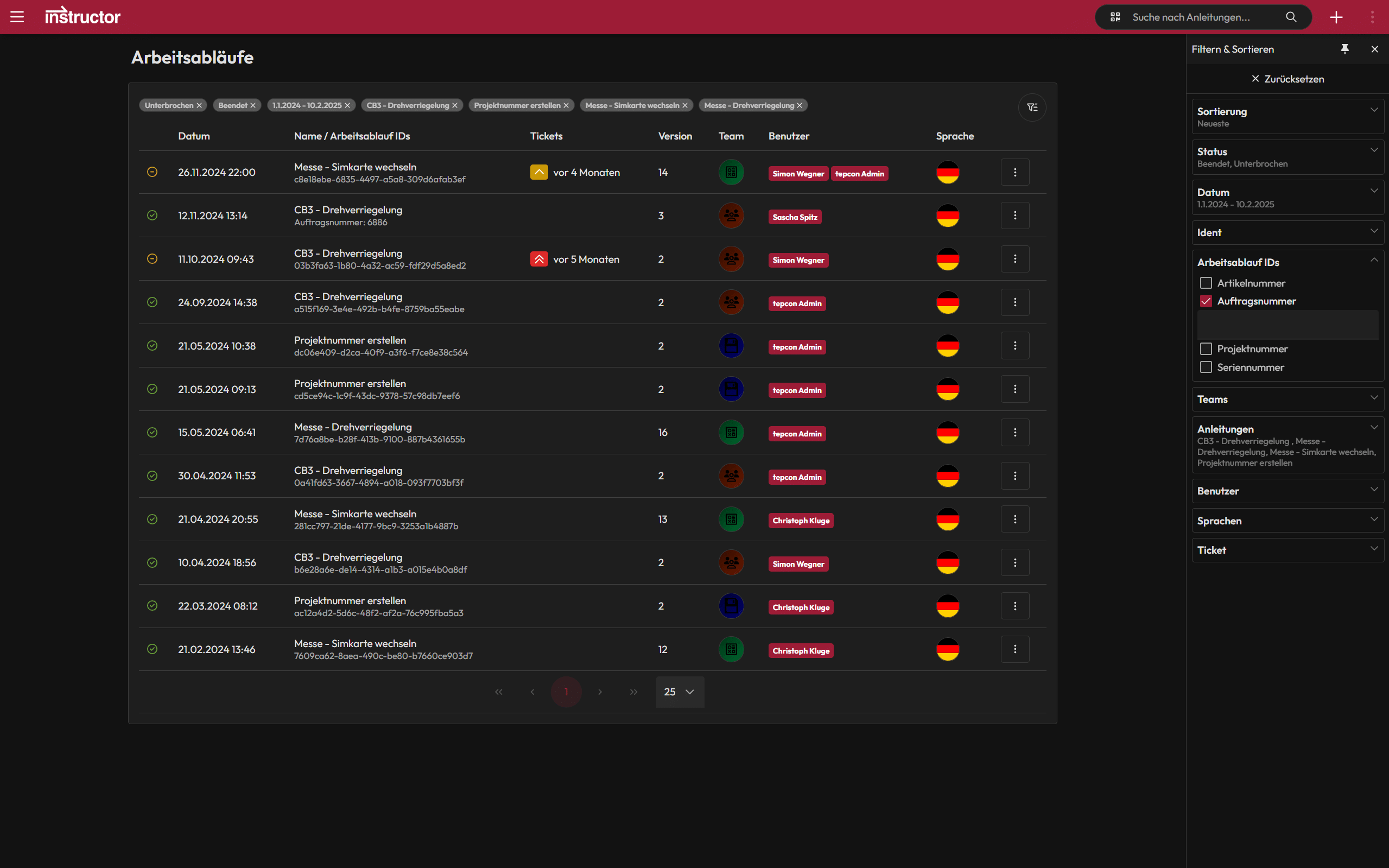
- Workflow overview
- Filter workflows
- Workflow with order data
- Word and PDF export
Workflow overview
The workflow overview shows at a glance which instructions are currently being processed by whom and which have already been completed.
Instructions can be interrupted at any time and continued later without any problems.
Faults are documented, including their severity and duration, so that they can be prioritized and processed efficiently.
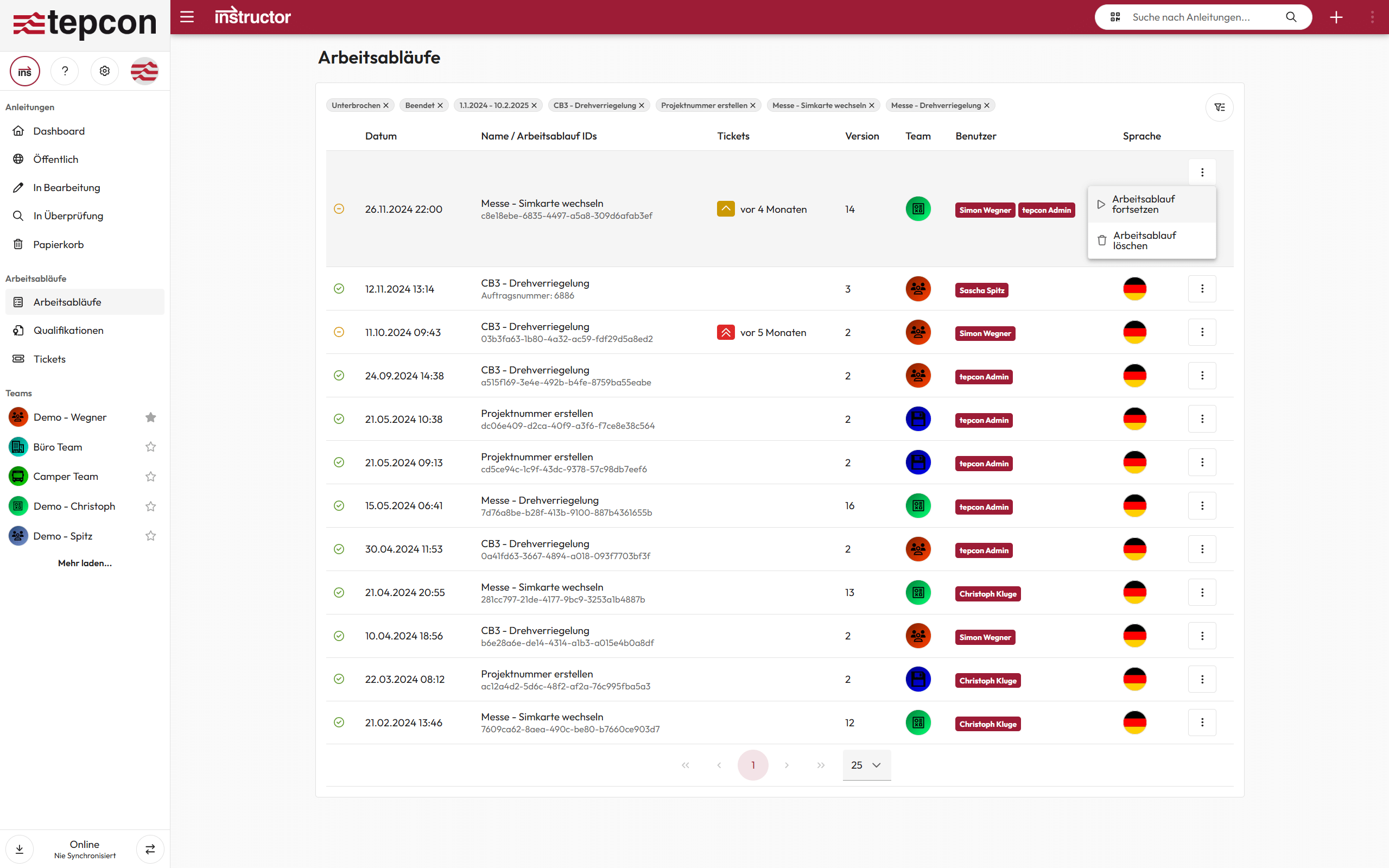
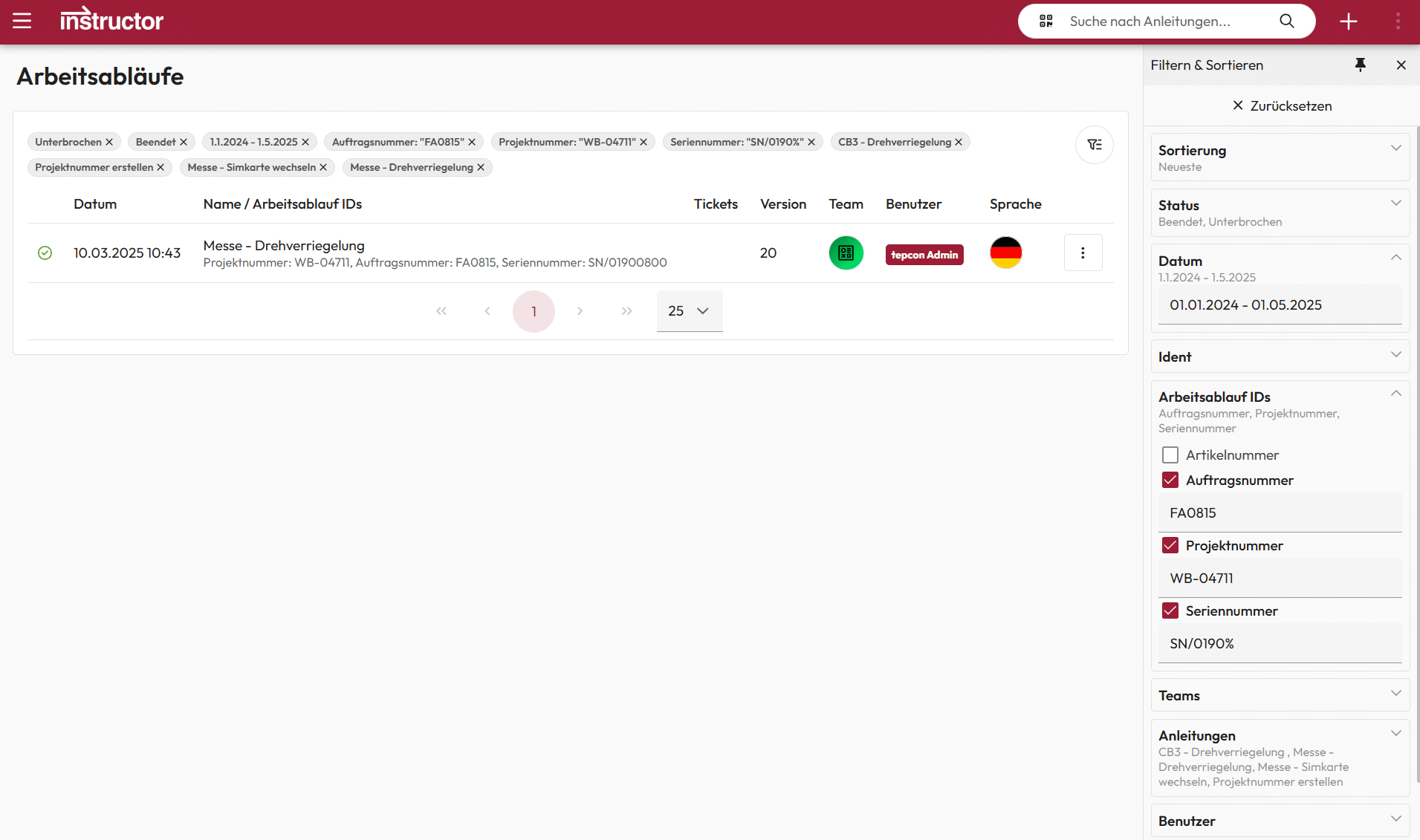
Filter workflows
With the filter function, for example, instructions can be searched specifically for orders, projects or systems, so that the assembly or service process is fully documented. – This means that it is always possible to trace who carried out which work and with what result.
Another example is the recording and filtering of serial numbers of spare parts or tools used.
The flexible configuration and recording of IDs via forms means that no filter and evaluation requirements remain unfulfilled.
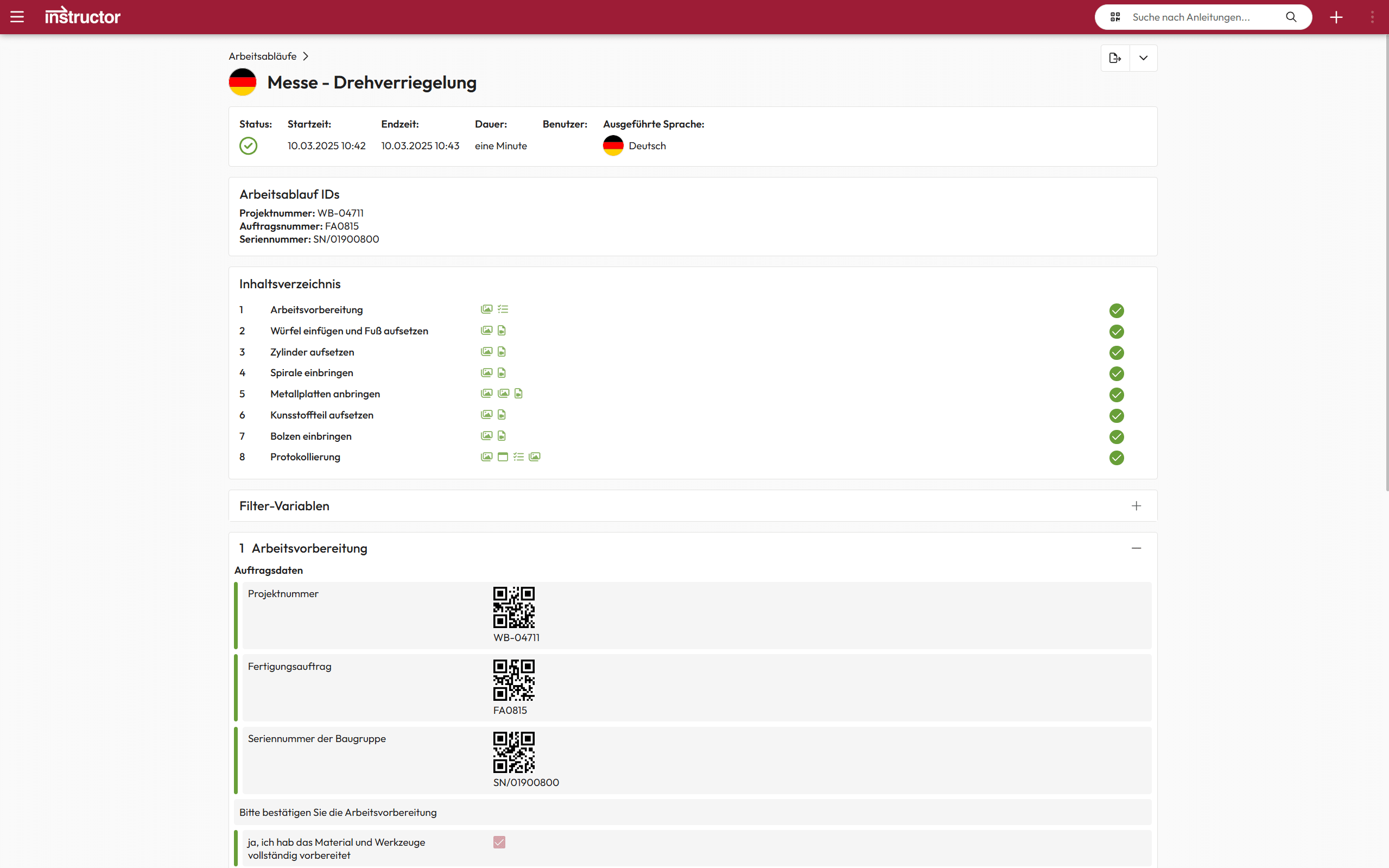
Workflow with order data
The workflow provides a comprehensive overview of the entire instruction process. It shows:
- Who used which instructions and when
- For which order, project or machine the work instruction was carried out
- Whether faults have occurred and what their current status is.
- Which work steps were carried out in which time and frequency
- All form entries such as images, videos or signatures
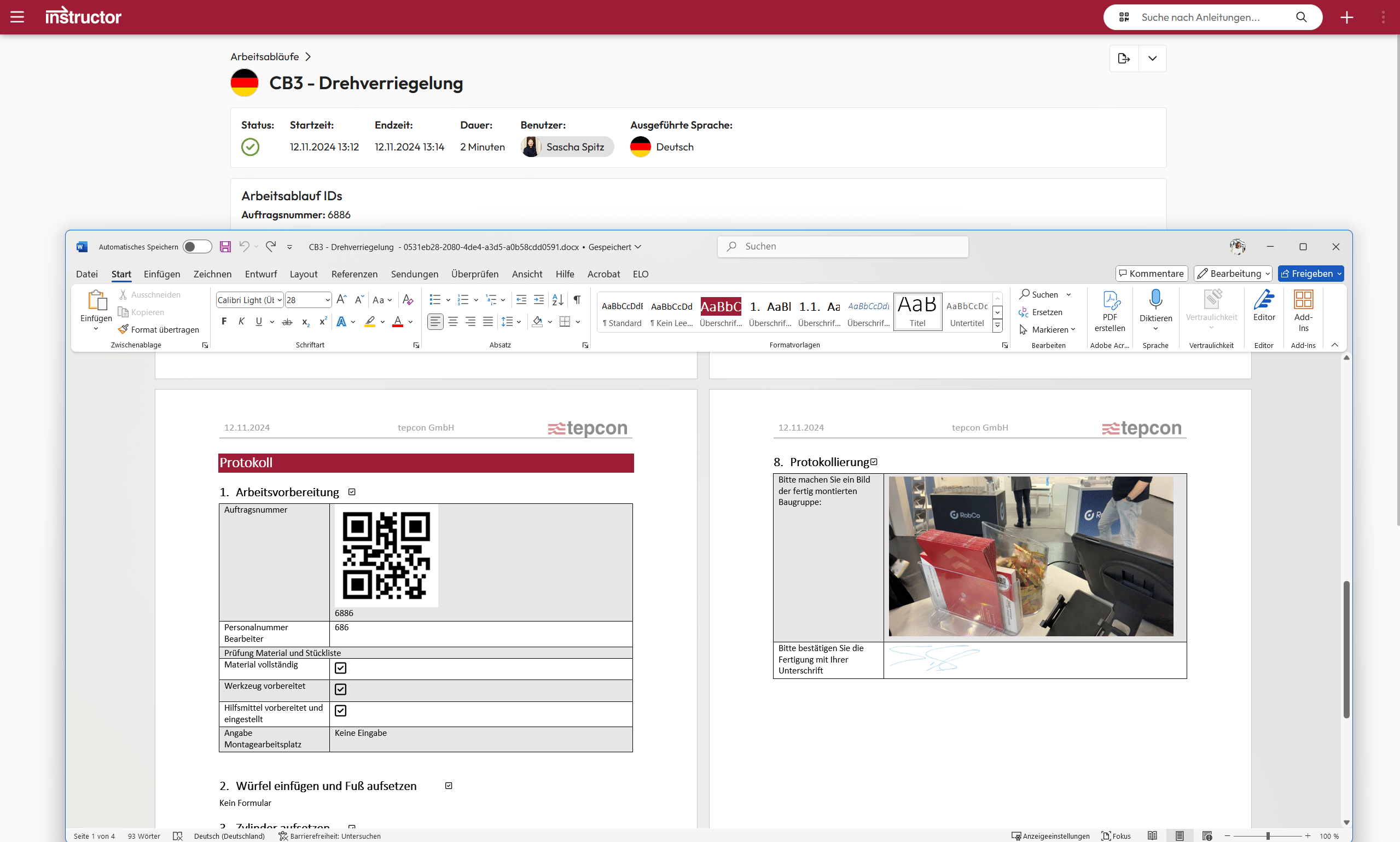
Word and PDF export
All data recorded during the execution of work instructions and manuals can be seamlessly transferred to third-party systems via interfaces. This allows PLM systems to be used efficiently to document the product life cycle.
At the same time, MES systems can be supplied with current order data in order to control processes optimally.
We are delighted with the trust placed in us by many satisfied customers!