
Ticket system
The ticket system ensures that employees are not only guided through regular work processes, but also maintain an overview in the event of disruptions.
This allows problems to be identified and dealt with before chaos ensues. A clear process for greater efficiency and less downtime.


- Create ticket
- Enter ticket
- Interrupt work processes
- Ticket overview
- Edit ticket
- Ticket in the workflow
Create ticket
Tickets are more than just forms for recording faults – they can also contain complete workflows that guide employees step by step through the troubleshooting process.
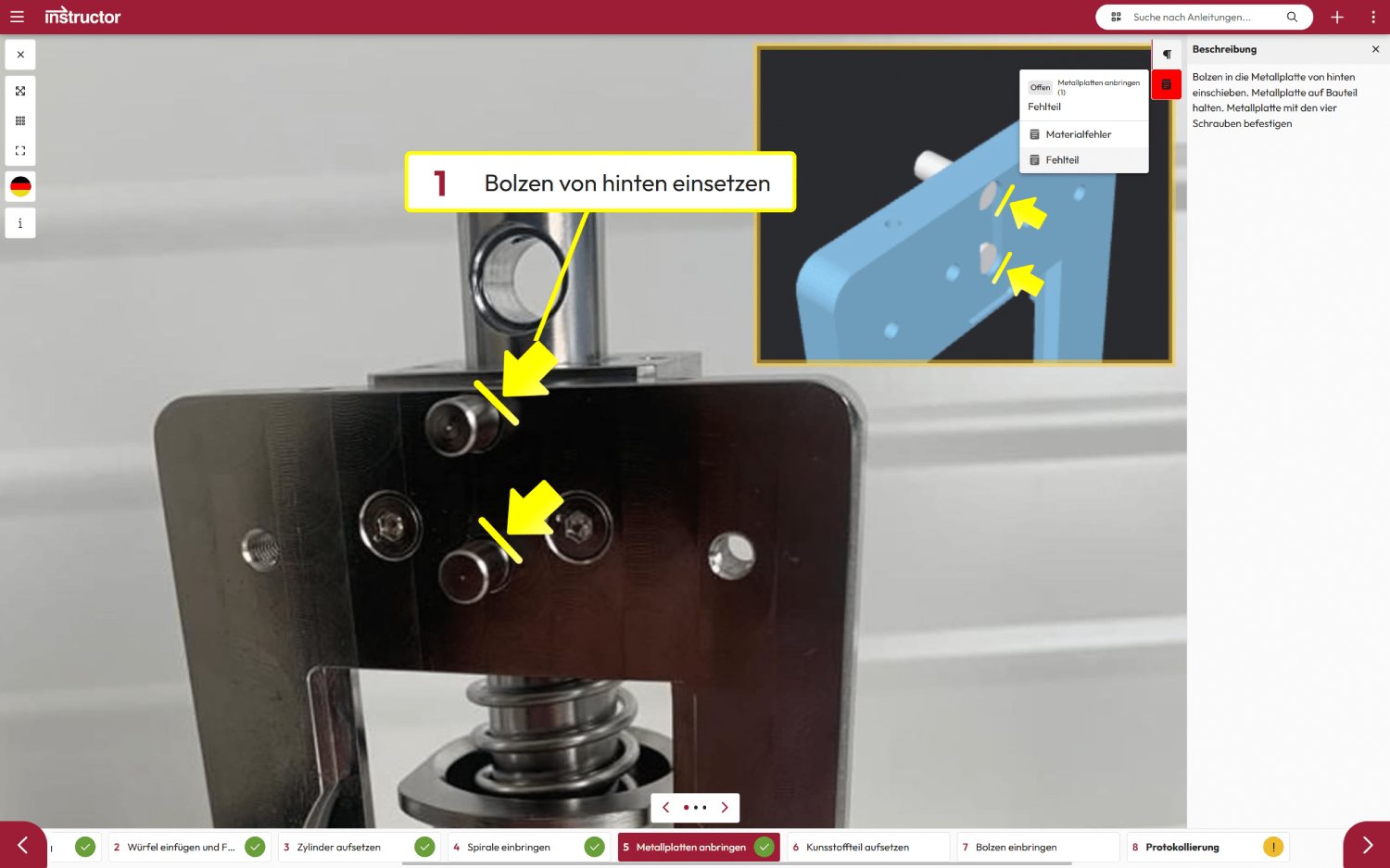
This ensures that problems are solved in a structured and efficient manner. Tickets can be created directly from each work step in order to integrate faults seamlessly into the process.
Enter ticket
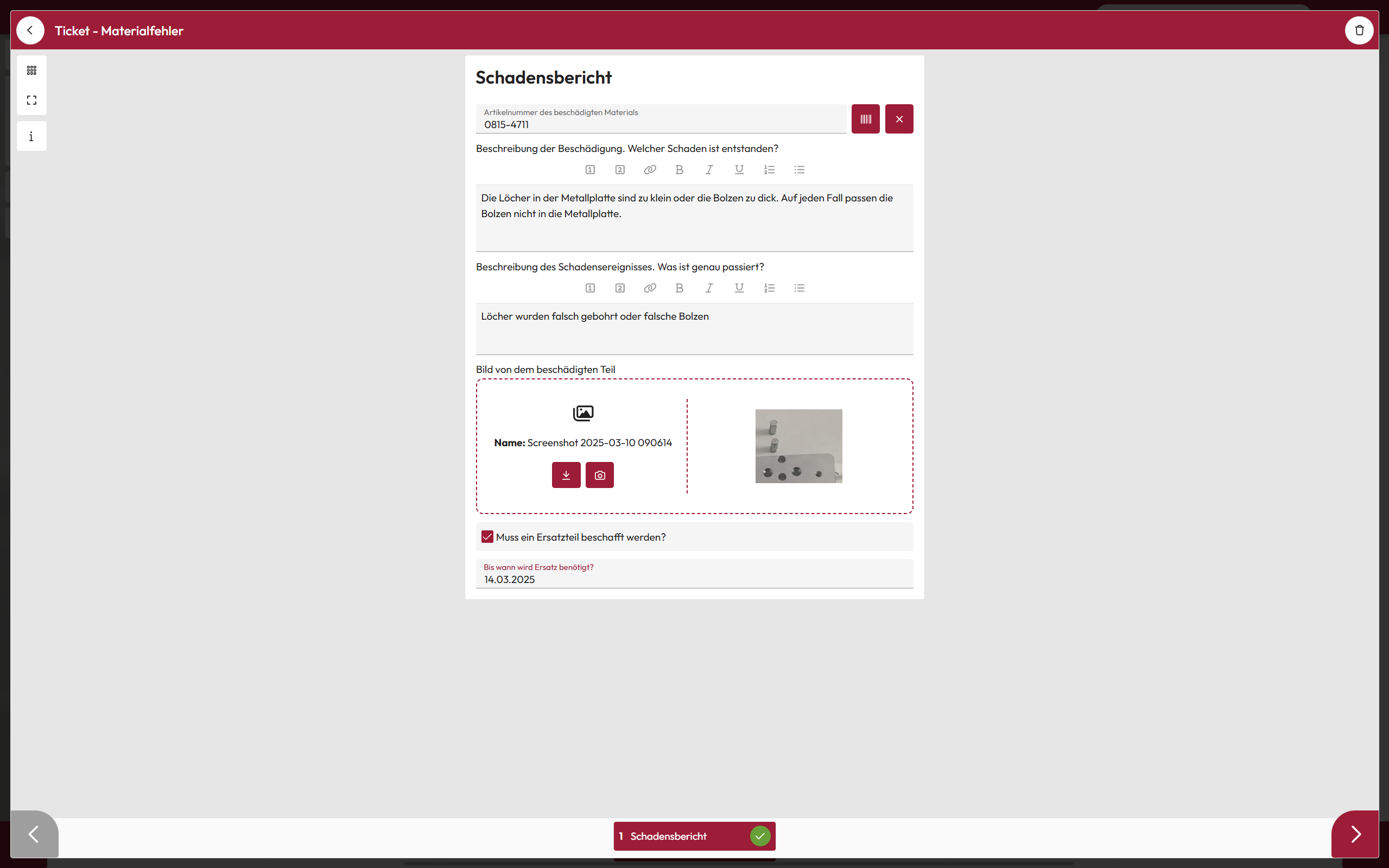
The forms can be used to record faults or feedback, such as suggestions for improvement. The structure and content of the tickets can be flexibly adapted to the process.
This ensures that all relevant information is recorded and integrated directly into the workflow.
Interrupt work processes
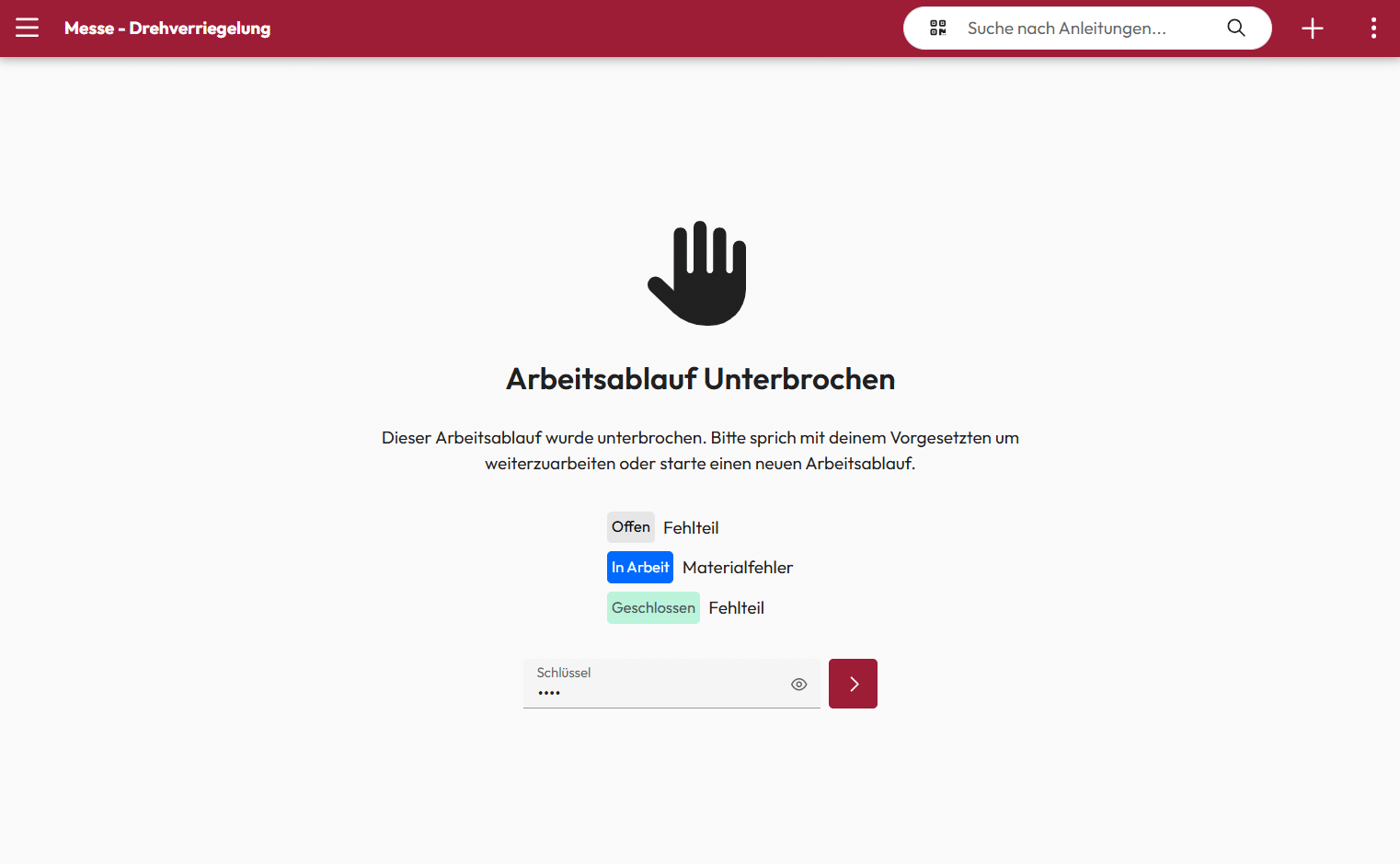
In the event of major disruptions, such as waiting times for missing parts, it may be necessary to interrupt the workflow. In these cases, the process is blocked and the employee responsible is notified by e-mail.
Resumption is only possible with an activation code – this ensures that work is only continued if error-free processing without restrictions is guaranteed.
Ticket overview
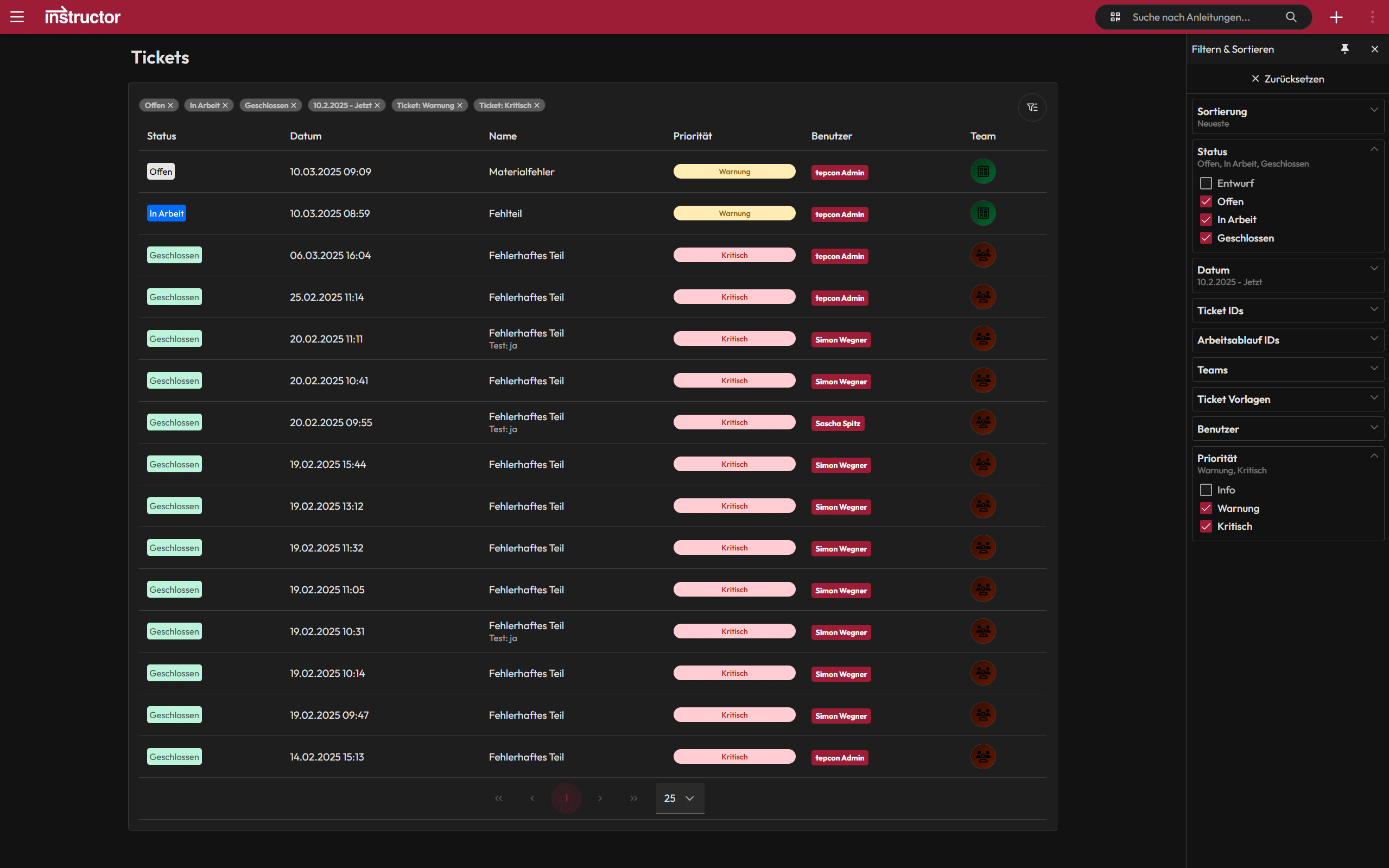
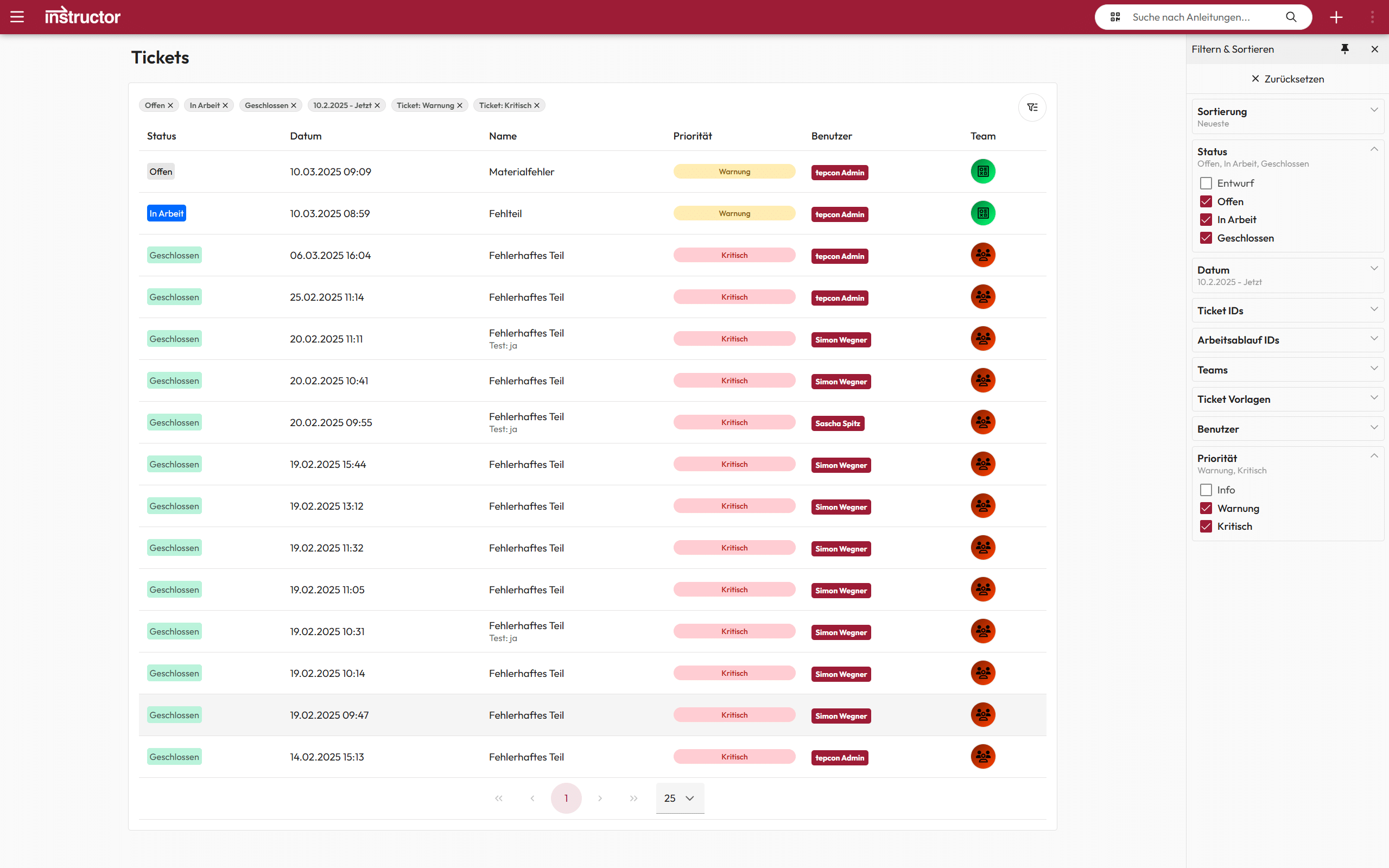
In the ticket overview, open and critical tickets can be filtered with just one click.
This makes it immediately clear which tickets have priority and in which order they need to be processed. – This ensures a clear structure and prevents important tasks from falling by the wayside.
Edit ticket
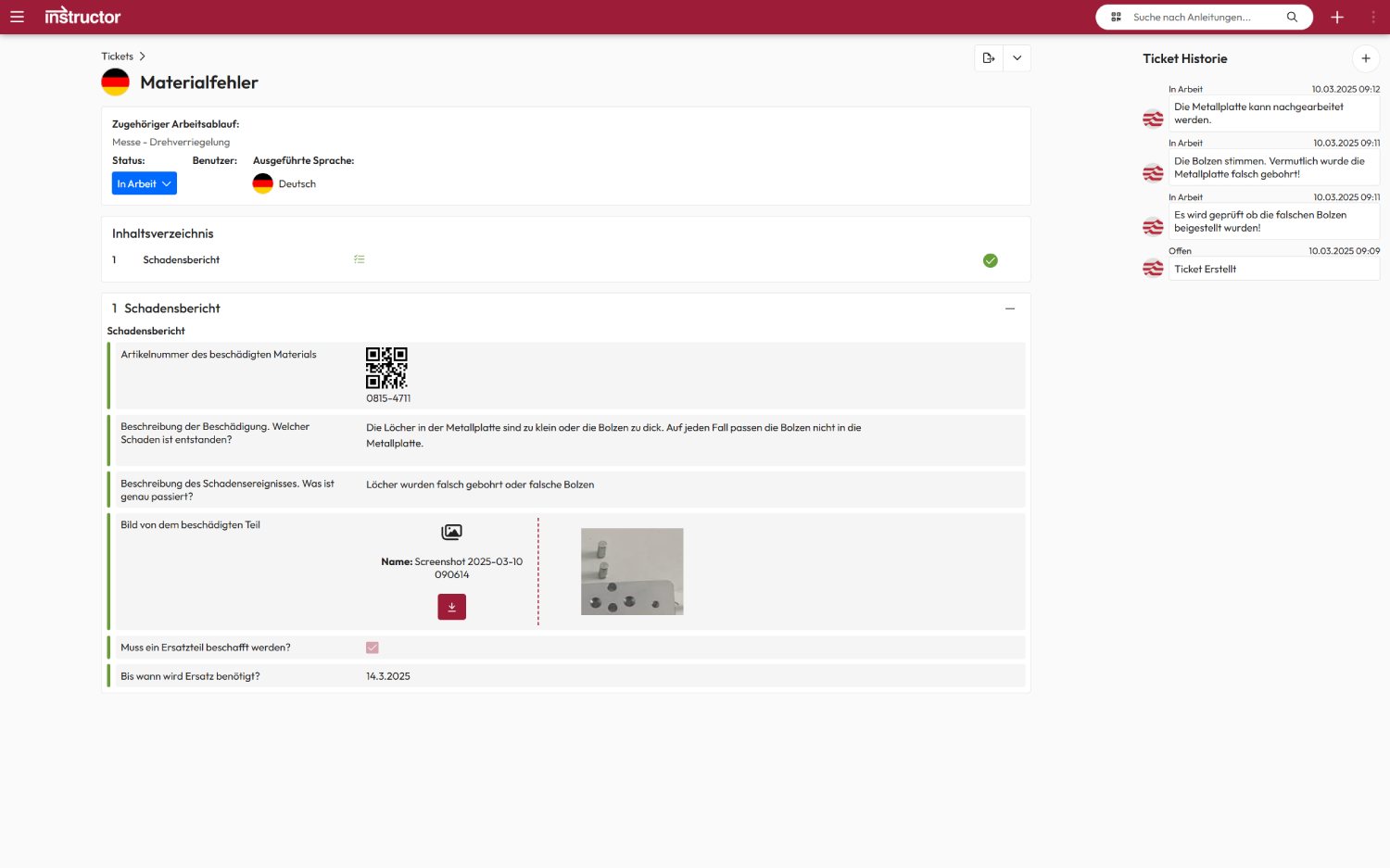
Not only the ticket itself, but also its processing is seamlessly logged with a time stamp. All actions can be recorded in a chat history so that the entire process remains traceable.
The employees involved receive automatic e-mail notifications about the current status of ticket processing. -This keeps everyone informed and makes collaboration transparent and efficient.
Ticket in the workflow
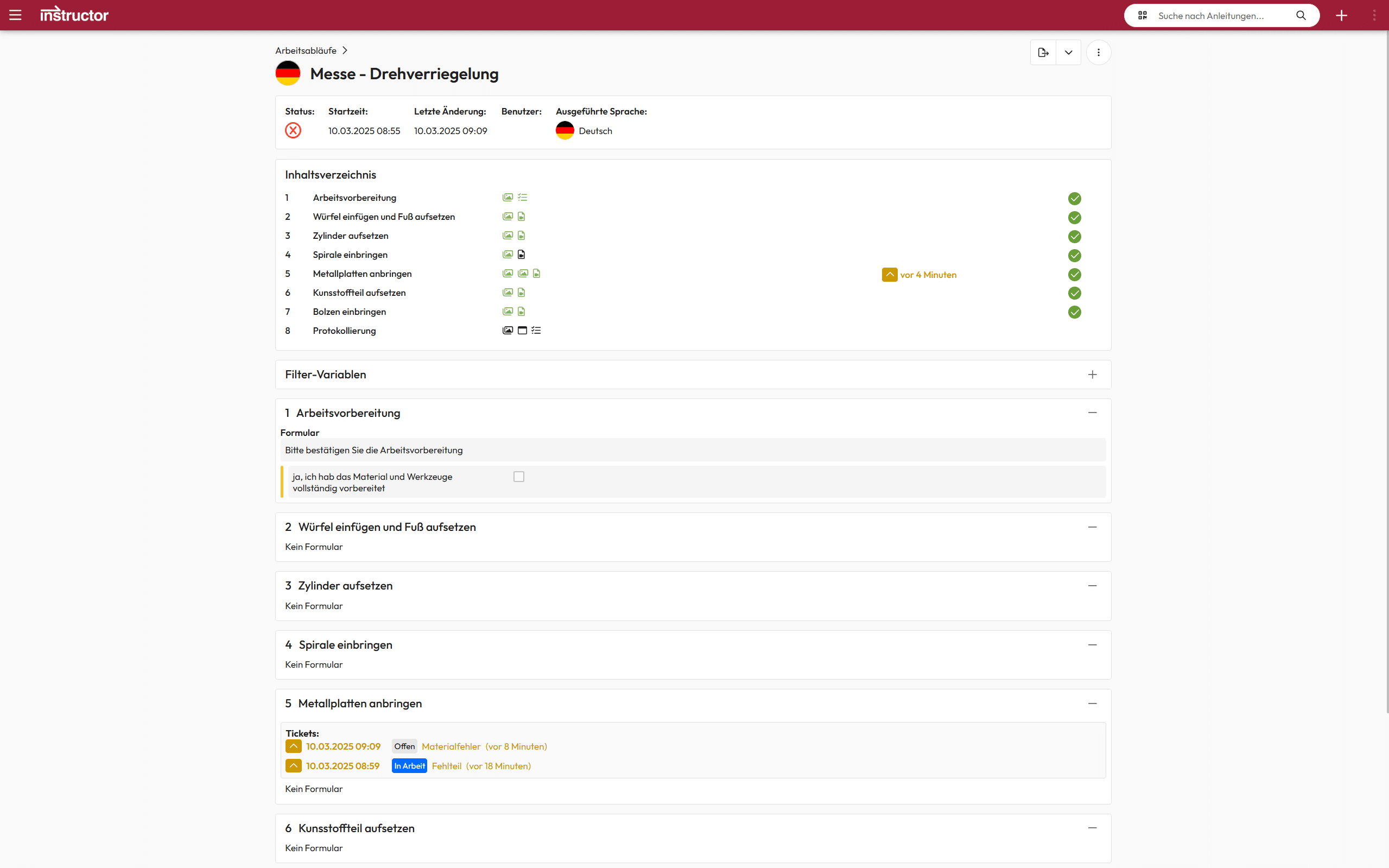
The workflow of an instruction records exactly who created a ticket, in which step it was created and when it was processed.
It is also possible to trace who was able to rectify the problem and in what timeframe. – This means that the entire process remains transparent and traceable at all times.
We are delighted with the trust placed in us by many satisfied customers!