
Export function
The export function can be used to export complete instructions, workflows or logs as Word or PDF files.
The design and format can be customized using Word templates. This means that not only can handouts be printed, but activity reports can also be easily transferred to third-party systems for archiving.


- Template for instructions
- Export variants
- Template for workflows
- Export workflow
Word template for instructions
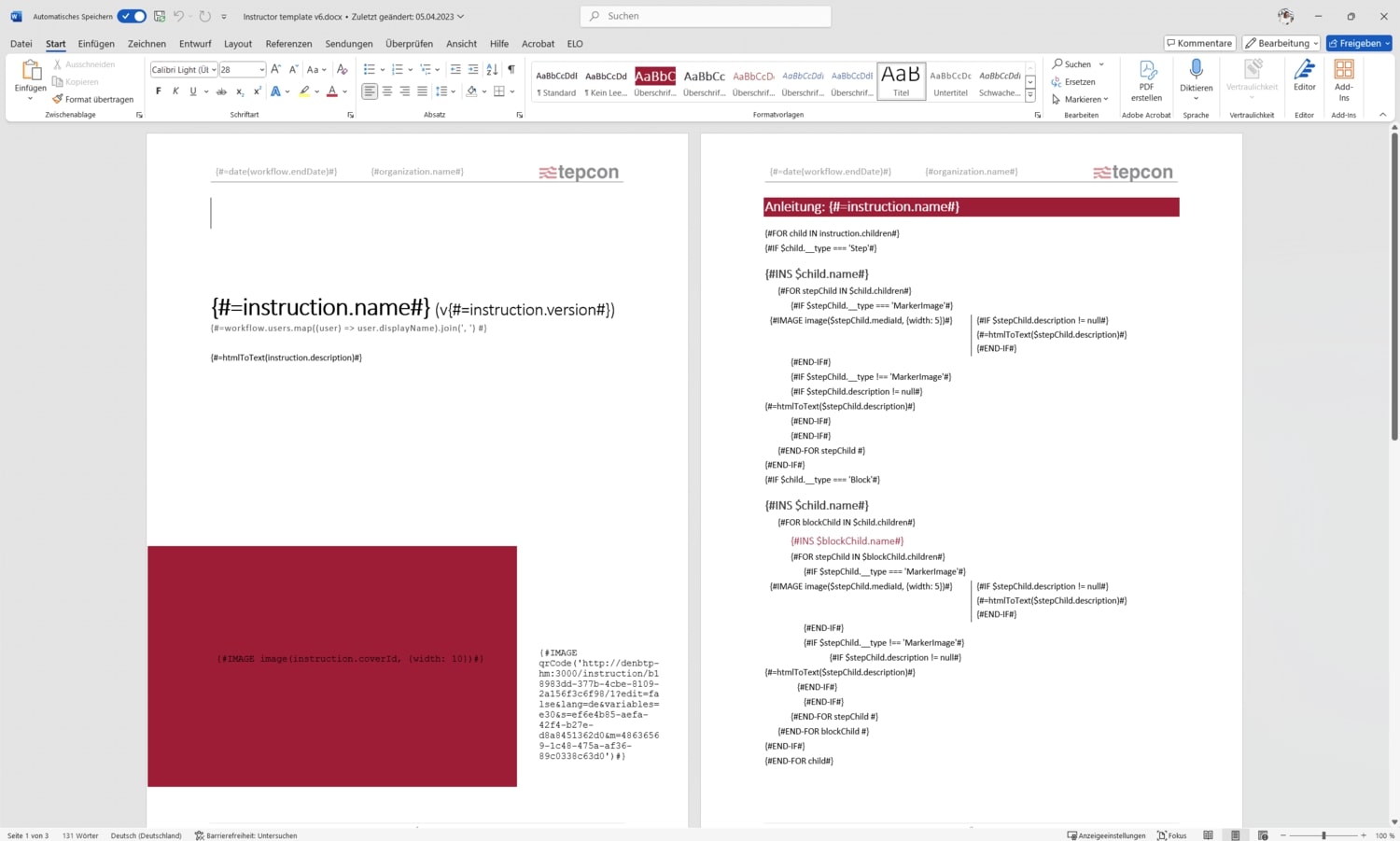
Word templates can be used to export instructions – these are standard Word files that can be edited in Microsoft Word.
Content can be dynamically integrated by inserting variables and code. When exporting, these are replaced by the corresponding instruction content. – This means that the layout and format can be customized and perfectly adapted to existing documentation standards.
Export variants
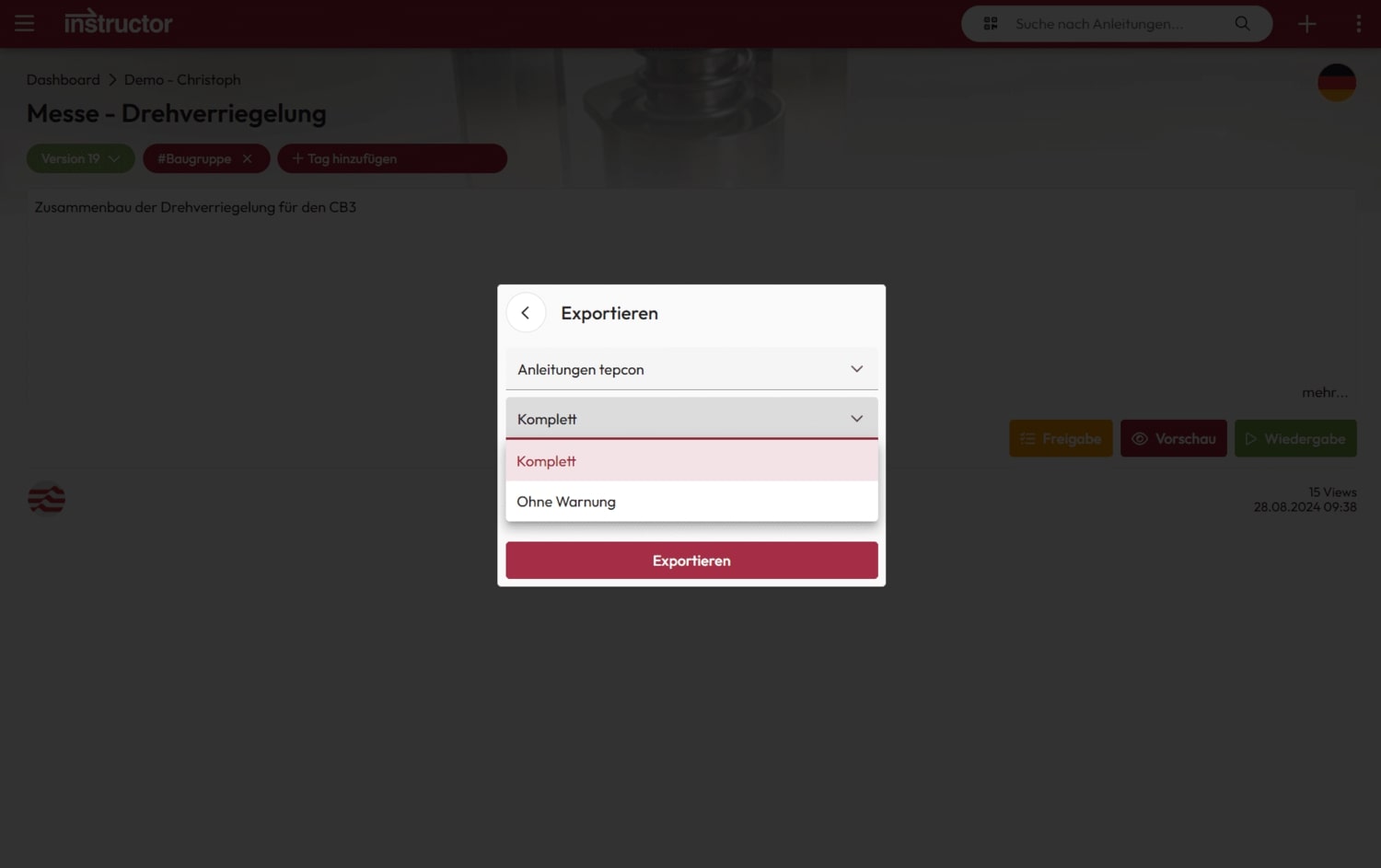
When exporting instructions, the user can individually specify which template is to be used.
You can also select the language, version and variant of the instructions. – The result is a customized export that precisely meets the respective requirements.
Word template for workflows
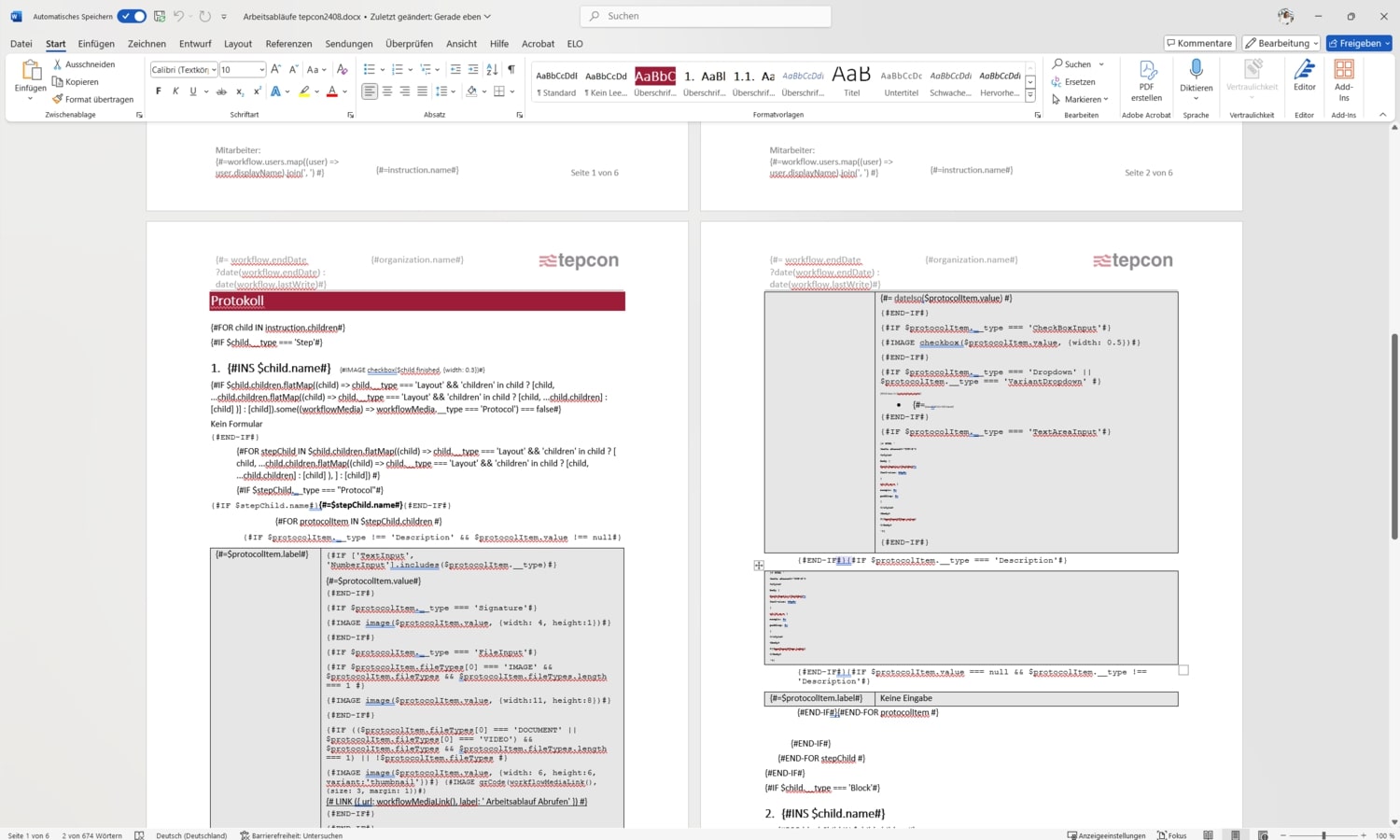
Not only instructions, but also workflows can be exported as Word or PDF documents.
The data from the instructions can be combined with information from the work processes, such as form entries. This creates complete and clear documentation in a single export.
Export workflow
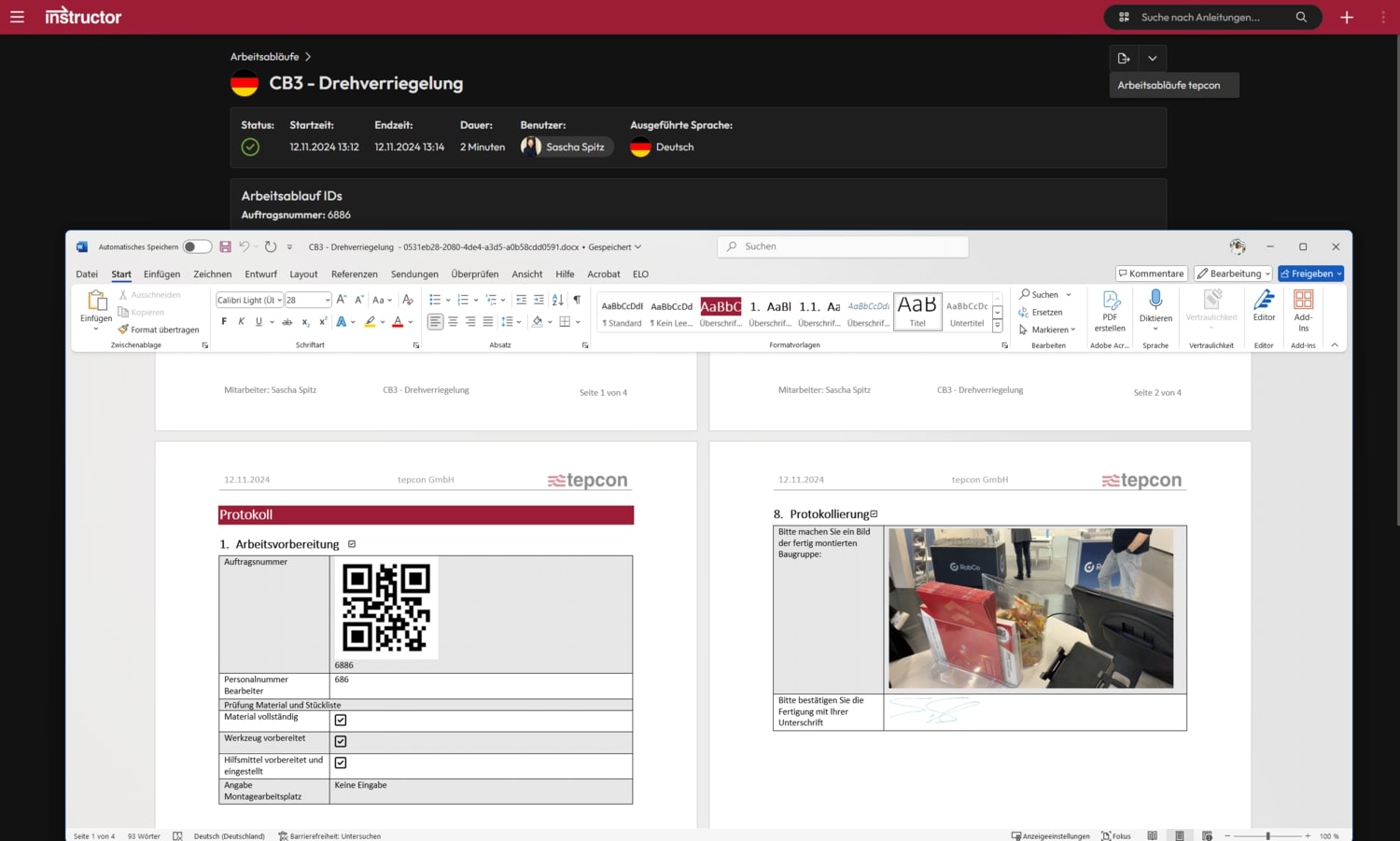
When exporting workflows, the form entries are transferred to the document.
This allows activity reports to be created, service assignments to be documented and files to be easily exchanged with other apps.
We are delighted with the trust placed in us by many satisfied customers!